How to Deploy PocketBase to Cloud Run
It is now possible to run PocketBase on Google CloudRun because of the recent support for mounting volumes. This is a guide on how to deploy PocketBase on Google Cloud Run.
Features
- Scale to zero
- Infinite storage (and file deletion protection, file versions, and multi region)
pb_data/pb_public/pb_hooksall in the same file system- Backups can be done either by PocketBase or by protecting the bucket
Prerequisites
- Google Cloud project
- Google Cloud Storage bucket
Getting Started
Fork this repository or click "Use this template" to create your own repository.
Steps
Create a new service
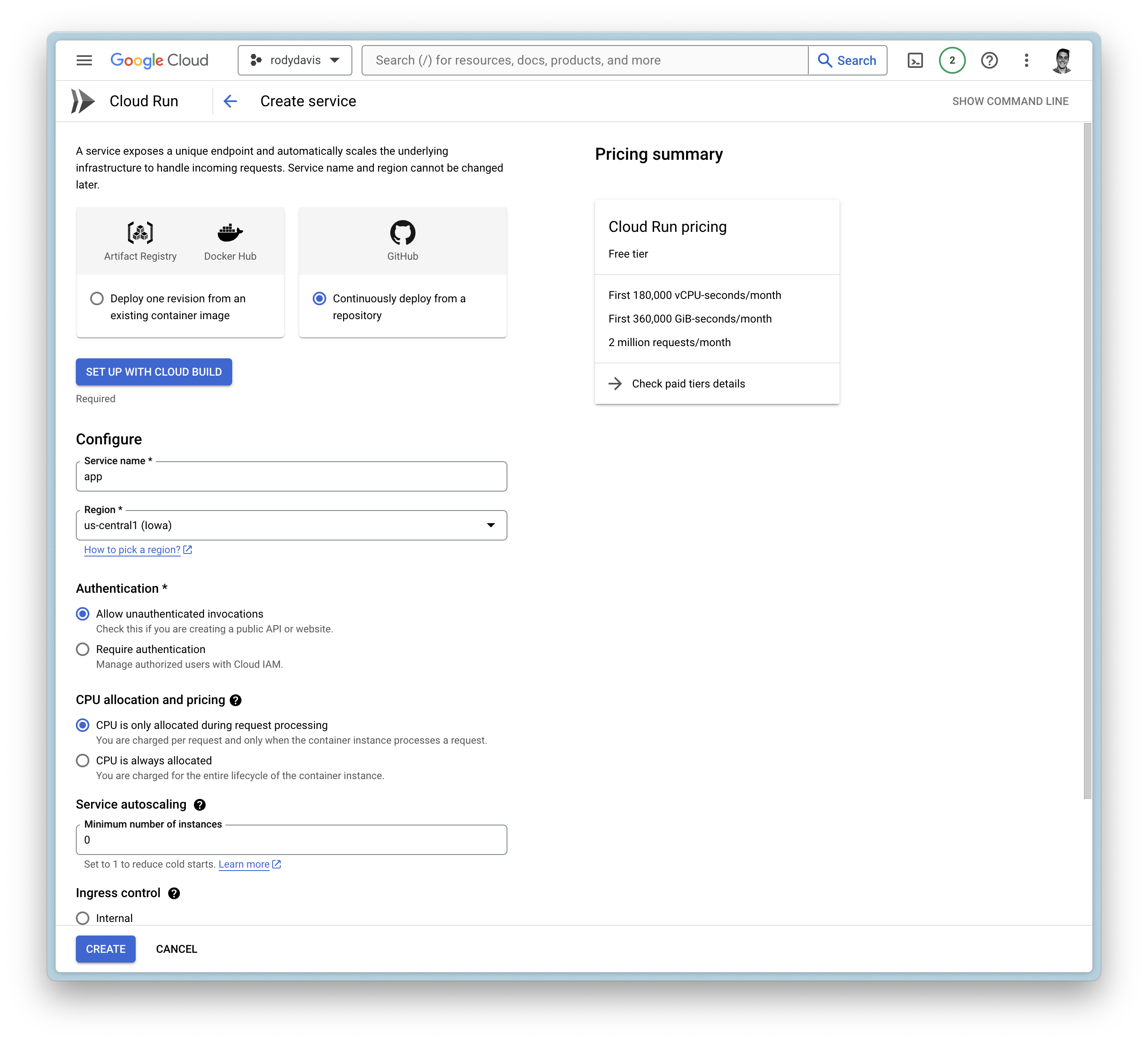
Google Cloud Build
- Setup with Cloud Build
- Repository Provider:
GitHub - Select Repository:
THIS_REPOSITORY_FORK - Branch:
main - Build Configuration:
Dockerfile
General Settings
- Allow unauthenticated invocations
- CPU is only allocated when the service is handling requests
- Maximum number of requests per container is set to
1000 - Maximum number of containers is set to
1 - Timeout is set to
3600 - Ingress is set to internal and
alltraffic
Container(s), Volumes, Networking, Security
Volumes
- Add volume
- Volume type:
Google Storage bucket - Volume name:
remote-storage (or any name you want) - Bucket:
YOUR_BUCKET_NAME - Read-only:
false
Container(s)
- Startup CPU boost is
enabled - Volume mount (s)
- Volume name:
remote-storage - Mount path:
/cloud/storage
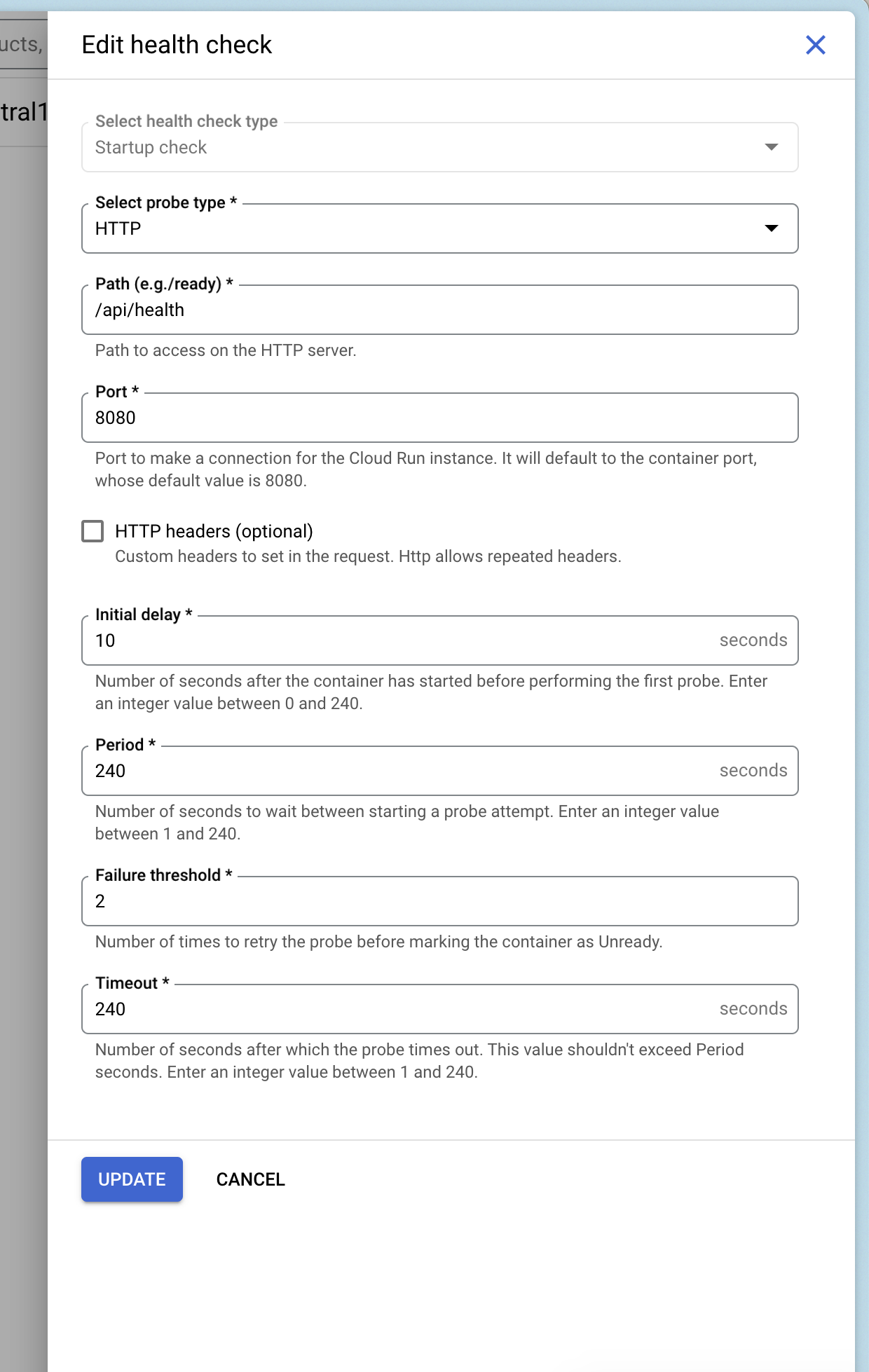
Add Health Checks
You can add a health check to your service that uses Pocketbase's health check endpoint /api/health.
Deploy and Wait
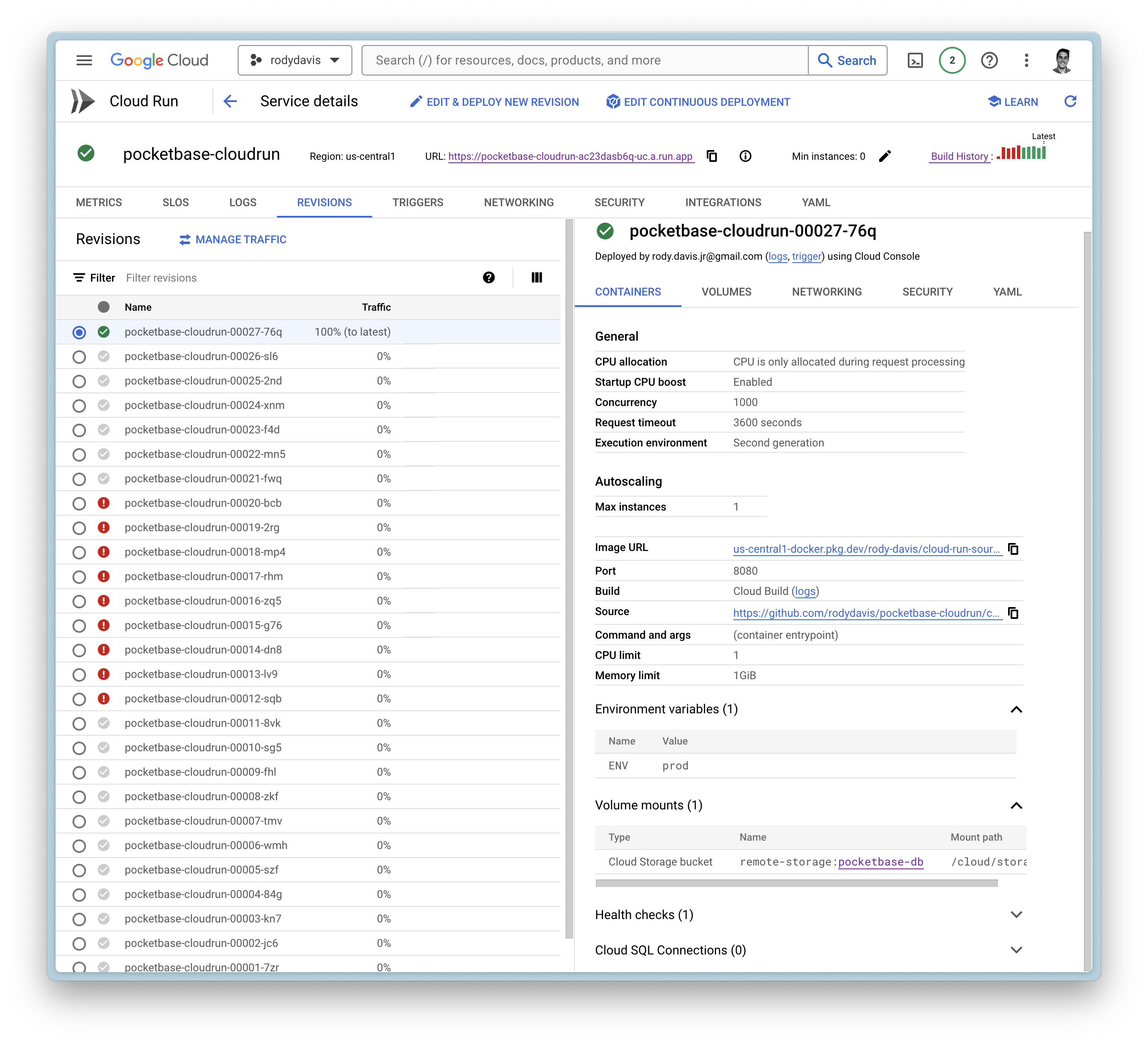
Now create the service and wait for the cloud build to finish.
If everything goes well, you should see the service deployed.
FAQ
What if I have local files that I want to use?
pb_data, pb_public, and pb_hooks are all directories you might use during development.
You can upload these directories to your Google Cloud Storage bucket you created earlier to the root directory.
Can I use a custom domain?
Yes, you can use a custom domain. You can follow the guide on the official documentation.